
Your website maintenance cost is made of three parts: hosting and licences, routine technical care (updates, backups, security and speed checks), and developer time for fixes and changes. A small brochure site needs little beyond the first two; an online store or web app needs all three every month. For a custom web app, plan for 15–20% of the build cost per year.
The question I hear after almost every launch is some version of "what does this cost me from now on?" It's the right question. A website isn't finished when it goes live: the software under it changes every month, and so does the business on top of it.
After 400+ client projects at PlusTechnology, I've seen both ends: sites that ran smoothly for years on a small, steady budget, and sites that were left alone until a plugin update broke the checkout. This guide explains what website maintenance cost actually pays for, so you can judge any quote, including ours.
What does website maintenance cost actually cover?
Most maintenance quotes bundle seven items. Knowing them lets you compare quotes line by line instead of by the total.
| Item | What it is | How often | What drives the price |
|---|---|---|---|
| Hosting | The server that runs the site | Monthly or yearly | Traffic, store vs brochure site, managed vs shared |
| Domain and licences | Domain renewal, premium plugins, theme, email | Yearly | How many paid tools the site depends on |
| Software updates | CMS core, plugins, theme and PHP version | Weekly to monthly | Number of plugins, custom code, testing needed |
| Backups | Off-site copies of files and database, with restore tests | Daily, tested monthly | Site size, how often content or orders change |
| Security | Monitoring, firewall, malware scans, login protection | Continuous | Logins, forms, payments, user accounts |
| Speed and SEO health | Core Web Vitals, Search Console errors, broken links | Monthly | Page count, new content, scripts added over time |
| Developer time | Fixes, content help, small new features | As needed | How often the business asks for changes |
The first two are bills you pay to suppliers. The other five are work, and work is where quotes differ most. A cheap plan often covers "updates" by clicking the update button with no testing, which is the riskiest way to do it.
How much does website maintenance cost each month?
There's no honest single number, because a five-page site and a store taking orders all day carry very different risks. What I can give you is how the bill grows with the site:
- Brochure or lead-generation site. Hosting, a domain, a few licences, monthly updates and backups. The work is light and predictable. Developer time is mostly occasional content or form changes.
- Online store. Everything above, plus checkout and payment testing after every update, cache rules that keep cart and checkout pages working, and more frequent speed checks. Orders mean downtime has a direct price, so updates should be tested on a staging copy first.
- Custom web app. Hosting, monitoring, dependency updates, database care and ongoing changes. On our web app development page we tell clients to plan for 15–20% of the build cost per year for hosting and maintenance.
Hosting is the easiest line to price because vendors publish it. Basic shared hosting is cheap; managed WordPress hosting costs more and handles server updates and some caching for you. As one example, the entry plan on WP Engine's plans page is listed at $28 a month billed yearly. Either way, hosting doesn't update your plugins or test your checkout. That work is still yours or your developer's.
For context on the build side, a professional business website at PlusTechnology costs $800–$2,500 and a WooCommerce store $2,500–$10,000+. Maintenance should protect that investment, not quietly cost more than it over a few years.
Why does a website need ongoing maintenance at all?
Because the parts it's built from keep changing, and attackers watch those changes closely. Three facts explain most of the work:
- Plugins are where the risk lives. Patchstack's State of WordPress Security in 2026 report counted 11,334 new vulnerabilities in the WordPress ecosystem in 2025, with 91% in plugins and 9% in themes. It also found that 46% didn't have a developer fix by the time they were made public, so someone has to decide whether to replace or disable a plugin, not just wait for an update.
- The server software ages out. The official WordPress requirements recommend PHP 8.3 or greater and MySQL 8.0 or MariaDB 10.11 or greater. Older versions still run WordPress, but they've reached end of life. Moving PHP versions is maintenance work, because old plugins and custom code sometimes break on a newer version.
- Updates and backups are the official advice. The WordPress hardening guide says to keep WordPress on its latest version, keep plugins updated, remove the ones you don't use, and back up your data regularly, database included.
There's a slower cost too. Every new page builder section, tracking script and plugin adds weight. Nobody notices one change, but a year of them can turn a fast site into a slow one.
Real example: what skipped maintenance looks like on a live store
Our NAZROM speed case study is the clearest example I have. NAZROM is a Dutch WooCommerce store that had been optimised before. Since then it had gained a new homepage hero, a redesigned header, a major WooCommerce update and new custom scripts. Each change was reasonable. Together they made the store slow again.
Google Search Console showed product pages failing Core Web Vitals, with real visitors waiting 2.7 seconds for the main content against Google's 2.5-second limit. There were also review snippet errors putting the star ratings in search results at risk, and the homepage took 10.6 seconds on mobile to show its main element.
Because the store was taking orders every day, we worked the way good maintenance should always work: staging first, one change at a time, a written undo for every step, and a full re-test of pages, cart, checkout and account pages. We logged 29 tasks and completed 26. Homepage LCP went from 10.6 seconds to 2.1–3.8 seconds, the review errors were fixed and validated by Google, and no orders or customer flows broke.
On our GA4 tracking project for the same client, the reason GA4 showed zero data was a forgotten Google tag left behind by an old Shopify channel app. That's another kind of maintenance debt: old integrations leave pieces behind, and someone has to clean them up. The lesson we wrote into that case study applies to every site: speed, tracking and security are maintenance, not one-off jobs.
Care plan, hourly support or DIY: which costs less?
There are three ways to pay for maintenance. Each has a place.
| DIY | Hourly / ad hoc | Monthly care plan | |
|---|---|---|---|
| Cash cost | Lowest | Low until something breaks | Fixed and predictable |
| Your time | An hour or more every month | Only when there's a problem | Little to none |
| Testing before updates | Only if you keep a staging copy | Rarely | Should be standard |
| Response to problems | You find and fix it | Whenever the developer is free | Agreed response time |
| Best for | Small, stable sites run by a hands-on owner | Sites that barely change | Sites that bring in leads or orders |
My rule of thumb: if a day of downtime would cost you more than a month of care, a care plan is cheaper. If the site is a simple brochure you could rebuild in a week, DIY with good backups is fine.
What should a website care plan include?
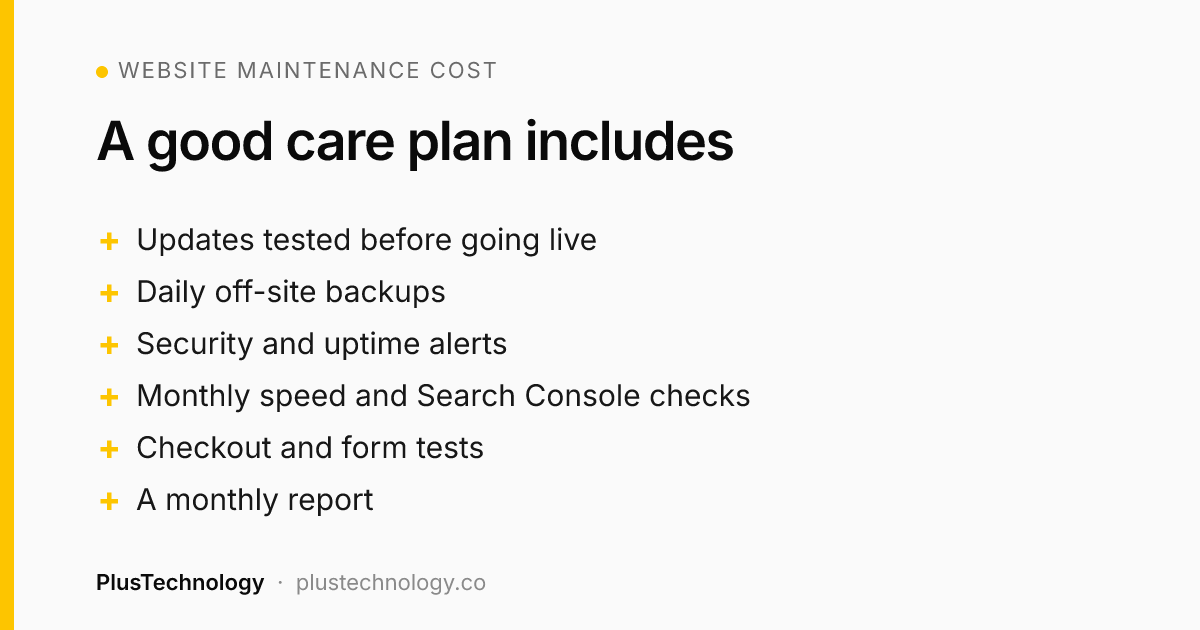
Use this as a checklist when you compare quotes. A plan that skips the first four isn't really maintenance:
- Updates tested on staging before they reach the live site, with a rollback ready.
- Daily off-site backups and a restore test at least once a month. A backup you've never restored is a guess.
- Security monitoring: malware scans, login protection and alerts for plugins with known, unpatched vulnerabilities.
- Uptime monitoring with alerts, so you hear about downtime before your customers do.
- Monthly speed and Search Console checks: Core Web Vitals, crawl errors, broken links and structured data warnings.
- Checkout and form testing after updates, for stores and lead sites.
- A set amount of developer time for small fixes and changes, with a clear rate for anything beyond it.
- A short monthly report listing what was updated, what was checked and anything that needs a decision.
Ask who owns the hosting account, the domain and the backups. They should be in your name, so you can change developers without losing anything.
How do you work out your own website maintenance cost?
Instead of trusting a generic price list, build your number from the site you actually have:
- Add up the fixed bills: hosting, domain, premium plugins, theme licence and email, converted to a monthly figure.
- Count your plugins and custom code. More moving parts means more update and testing time.
- Decide what downtime costs you. A store or a lead form that stops working has a daily price. That sets how much testing and monitoring you need.
- Estimate developer hours for the changes you usually ask for in a month, then multiply by your developer's rate.
- Review it after three months. If you rarely use the developer hours, shrink the plan; if you always run over, the site probably needs a bigger fix rather than more patching.
If your current site is slow, insecure or full of old plugins, budget for a one-time clean-up first. Monthly maintenance keeps a healthy site healthy; it can't fix years of neglect in an hour a month. Our WooCommerce speed optimization guide shows what that clean-up involves for a store.

Frequently asked questions
How much should website maintenance cost per month?
It depends on what the site does. A small brochure site mostly needs hosting, updates and backups. An online store also needs checkout testing, speed work and more developer time, so it costs more. For a custom web app, PlusTechnology advises planning 15–20% of the build cost per year for hosting and maintenance.
What is included in website maintenance?
Hosting and the domain, software updates for the CMS, plugins and theme, off-site backups with tested restores, security monitoring, uptime checks, speed and Core Web Vitals checks, and a set amount of developer time for fixes and small changes.
Can I maintain my WordPress site myself?
Yes, if you have the time and a staging copy to test updates on first. The work is routine but it must happen every month. Most owners hand it off once the site brings in real leads or orders, because a broken update on a live site costs more than the care plan.
Is a care plan cheaper than paying hourly?
For a site that needs regular updates and checks, usually yes, because the work is planned and problems are caught early. Hourly or ad-hoc fixes suit very small, stable sites, but you only call someone after something has already broken.
What happens if I stop maintaining my website?
Plugins and themes fall behind on security fixes, the PHP version ages out, backups go untested and the site slowly gets slower as content and scripts pile up. Patchstack counted 11,334 new WordPress ecosystem vulnerabilities in 2025, 91% of them in plugins, so unpatched plugins are the most common risk.
Want a straight answer on what your site needs? See our web development services and WordPress care plans, or message PlusTechnology on Upwork with your site address, and we'll tell you what it needs each month and what can wait.