
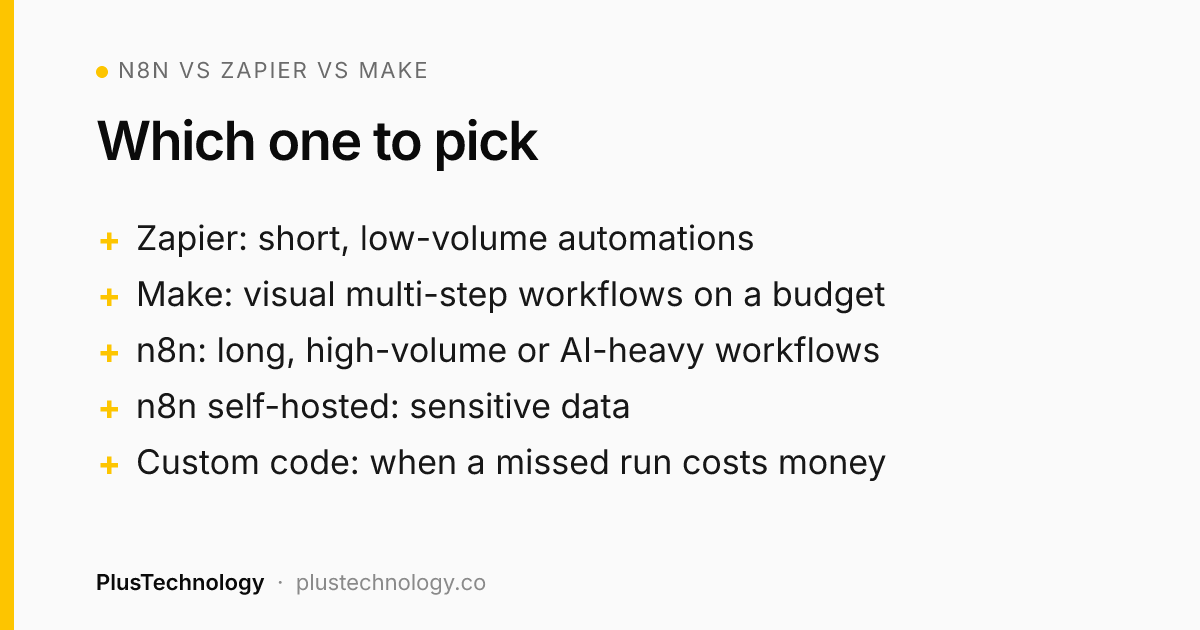
n8n vs Zapier vs Make comes down to who maintains it and how much it runs. Pick Zapier if you want the fastest setup and your automations are short and low-volume. Pick Make if you want a visual builder at a lower price for multi-step workflows and don't want to run a server. Pick n8n if your workflows are long, high-volume, AI-heavy or handle sensitive data, because it bills per workflow run rather than per step and can be self-hosted. If a mistake would cost real money, such as selling the same item twice, write it as custom code.
Most n8n vs Zapier comparisons line up feature lists, and all three tools now have thousands of integrations, AI steps and a visual editor. The choice that actually matters is how each one counts usage, because that decides what you pay once a workflow runs every day, and who has to look after it. At PlusTechnology we build client workflows on all three, and after 400+ projects the pattern is consistent: the wrong tool rarely fails on day one. It fails in month six, when the bill has tripled or nobody can tell why an order didn't reach the CRM.
This n8n vs Zapier guide is about avoiding that. If you're still deciding what to automate, start with our 7 AI automation workflows for small businesses and come back here to choose the tool.
n8n vs Zapier vs Make: what's the real difference?
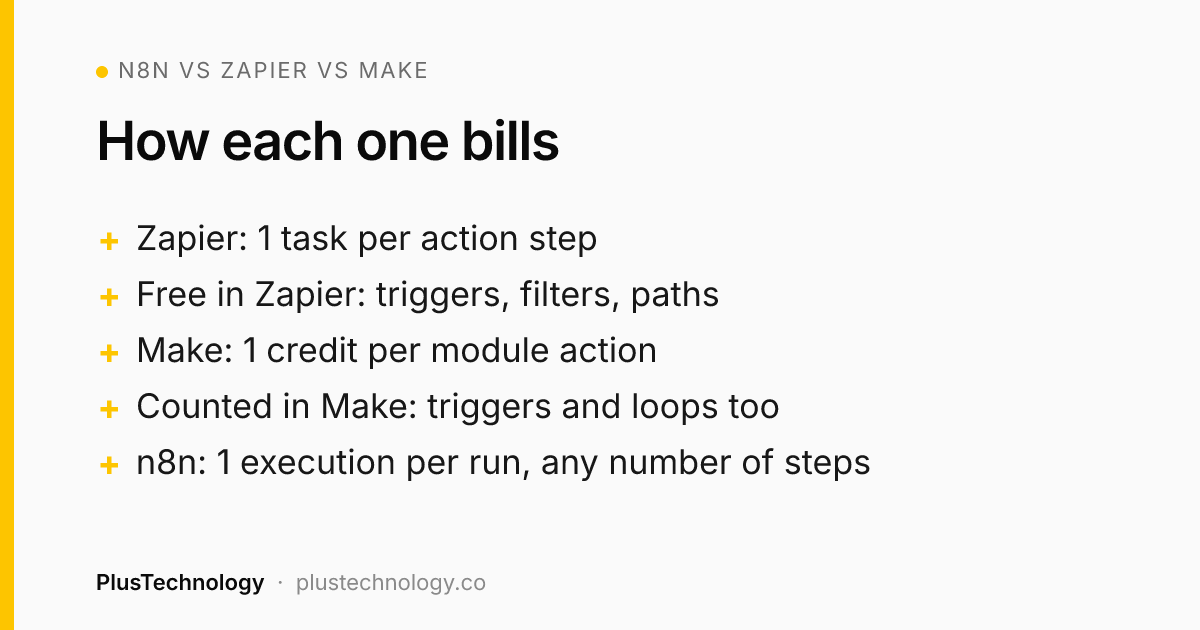
The core of n8n vs Zapier is billing. Each tool bills a different unit, and each unit punishes a different kind of workflow:
- Zapier bills tasks. Its pricing page defines a task as a successful action step. Triggers, polling and built-in tools such as Filter, Formatter, Paths and Delay don't count, so short automations are cheap. Long ones, and steps that repeat for every item in a list, add up quickly.
- Make bills credits. On Make's pricing page, every module action uses credits, including the trigger reading data, and so do iterators and aggregators. Most actions cost 1 credit; some features using Make's own AI provider cost more.
- n8n bills executions. According to n8n's pricing page, one execution is one run of the whole workflow, whatever the number of steps or the amount of data. The self-hosted version has no per-run charge at all.
| Zapier | Make | n8n | |
|---|---|---|---|
| Billing unit | Task (each action step) | Credit (each module action) | Execution (each workflow run) |
| Free option | 100 tasks a month | 1,000 credits a month | Self-hosted Community Edition |
| Entry paid plan | Pro from $19.99/month (750 tasks, billed yearly) | Core, sold by credit volume | Starter: €20/month for 2,500 executions (billed yearly) |
| Hosting | Cloud only | Cloud only | Cloud or your own server |
| Learning curve | Easiest | Moderate | Most technical |
| Best for | Short, low-volume automations | Visual multi-step workflows on a budget | Long, high-volume, AI-heavy or sensitive workflows |
That table is the n8n vs Zapier vs Make decision in short. Prices are from each vendor's pricing page in October 2026 and change often, so check them before you commit.
n8n vs Zapier vs Make: what does the same workflow cost?
Take a typical lead workflow we build: a website form arrives, a filter drops spam, an AI step scores the lead, the lead goes into the CRM and the sales team gets a Slack message. Assume 1,000 real leads a month.
- Zapier: the trigger and the filter are free, so each lead costs 3 tasks (AI, CRM, Slack): about 3,000 tasks a month. That's more than the 2,000-task Pro tier ($49 a month billed yearly), so you'd move up a tier.
- Make: the trigger counts too, so each lead costs about 4 credits: roughly 4,000 credits a month, plus a credit for every spam submission the trigger reads.
- n8n: each form submission is 1 execution, spam included, so roughly 1,000 to 1,200 a month. That fits inside the cloud Starter plan, or costs nothing extra on a server you already run.
Now change one thing: the workflow also copies each line of a WooCommerce order into a sheet, and orders average 20 lines. On Zapier and Make, every looped action is billed per item, so one order costs 20+ tasks or credits. On n8n it's still one execution. That loop is where most "why is our Zapier bill so high?" conversations start.
The flip side of n8n vs Zapier pricing: if you only run a handful of two-step automations, Zapier's free plan or Make's free credits may cost you nothing, and paying for an n8n server would be overkill.
When is Zapier the right choice?
In an n8n vs Zapier choice, Zapier is the right call when speed of setup matters more than cost per run. It has the widest app directory, the gentlest editor and good built-in tools (filters, paths, formatters) that don't use tasks. We recommend it when:
- The owner or an office manager will maintain the automations without a developer.
- Each automation has two to four steps and runs a few hundred times a month.
- The app you need has an official Zapier integration and only a community-built connector elsewhere.
Watch the overage setting. With pay-per-task turned on, Zapier keeps running past your limit and bills extra tasks at a higher rate: 1.25× the base rate on yearly plans and 2.5× on monthly ones. With it off, your automations stop until the next cycle. Decide which failure you'd rather have before it happens.
When is Make the better pick?
In Zapier vs Make, Make suits multi-step workflows with branching, where you want to see the whole flow on one canvas and don't want to run a server. Routers and error-handler modules don't use credits, so a well-built scenario with proper error handling isn't penalised for it. We pick Make when:
- The workflow has five or more steps and several branches, at moderate volume.
- The client wants a visual tool their team can read, but at a lower cost than Zapier for the same work.
- Data needs reshaping between apps (arrays, aggregations, text parsing).
Two things to plan for. Polling triggers use credits each time they check, even when nothing is new, so set schedules to match how fresh the data really needs to be. And when credits run out, scenarios pause: incoming webhooks queue up to your plan's limit and run once credits are added, but nothing moves until then.
When should you choose n8n, and what are the catches?
In both n8n vs Zapier and n8n vs Make, n8n wins on long workflows, high volume and anything involving data you'd rather keep on your own infrastructure. Because a 30-step workflow costs the same execution as a 3-step one, you can build proper validation, logging and retries without watching the meter. It also has a Code node for JavaScript or Python, which removes the "the tool can't do that" wall that eventually hits most Zapier setups.
The catches are real, though:
- Self-hosting is a job. Someone has to apply updates, back up the database, secure the server and notice when it's down. If that's nobody, use n8n Cloud or another tool.
- The licence has limits. n8n's Sustainable Use License lets you use it for your own internal business purposes, or for non-commercial and personal use. Selling n8n itself as a hosted service to others isn't covered. Running your own company's workflows on your own server is fine.
- Some features need a paid plan. Business and Enterprise features on a self-hosted instance need a licence key that checks in with n8n's licence server.
- It's more technical. Expect to read JSON and write expressions. A non-technical team usually needs a developer to build the first version and document it.
n8n vs Zapier vs Make: which is best for AI automation?
All three can call OpenAI, Claude and other models, so the question is how much control you need and how AI usage is billed:
- Zapier: quickest for single AI steps such as "summarise this email". AI steps can use more than one task depending on the model and tool calls, which matters at volume.
- Make: works well with your own OpenAI or Claude connection. Make's built-in AI provider is convenient, but some of its features use more than one credit.
- n8n: the strongest option for multi-step AI agents, memory and tool use, with your own API keys. On a self-hosted instance, only the fields you send to the model leave your server.
Whatever the tool, one rule from our Sono AI case study applies: let the AI write, and let fixed rules decide. In that app the AI drafts the report text, but deterministic code decides which findings are abnormal and how the report is formatted, and a three-model fallback chain takes over when one provider is rate-limited.
In an automation tool, that means an AI step can draft a reply or score a lead, but a plain filter or code step should decide anything that must be right every time, such as a refund amount or whether a customer gets emailed.
Real example: when we skipped all three and wrote code
Sometimes the honest answer is none of them. VinylSync keeps a record store's Discogs listings and WooCommerce shop in step, and its core promise is that a one-of-a-kind record is never sold twice. On paper it's a classic automation: "when an order arrives in WooCommerce, mark the Discogs listing sold."
When we hardened it, we found that a real order never reached Discogs and the record stayed for sale. A trigger alone had no way to notice. The fix was three independent layers, built in Node.js on Supabase:
- An instant webhook per store when an order arrives.
- Order polling every 5 minutes, in case a webhook is missed.
- A reconciliation job every 5 minutes that compares what is actually for sale on both platforms and fixes whichever side is stale, including cancelled orders and manual restocks.
Add per-store run locks, a database uniqueness rule against duplicate imports and ownership checks for every store, and you have logic that belongs in a tested codebase, not a canvas. It was verified end to end on 869 WooCommerce products and 333 live Discogs listings with no duplicates.
The lesson carries over to any n8n vs Zapier decision: if a missed trigger costs money, add a scheduled check that compares the real state on both sides. n8n and Make can do this with a schedule trigger; with Zapier it's harder. When the workflow is the product, build it as software. That's the work of our web app development team rather than an automation build.
n8n vs Zapier: 7 questions to decide
Answer these before you build anything; they cover Zapier vs Make too. They settle most cases in ten minutes:
- Who maintains it? A non-technical team points to Zapier or Make. A developer on call makes n8n realistic.
- How many steps per run? Two to four suits Zapier. Five or more with branches suits Make or n8n.
- How many runs a month, and do steps repeat per item? Multiply steps by runs by items. If the number is large, n8n's per-execution billing usually wins.
- Where may the data go? Health, legal or HR data favours self-hosted n8n, with only minimal fields sent to any AI model.
- Is every app supported? Check for an official integration for each app on each platform, not just a generic HTTP option.
- What happens if a run is missed? If the answer involves money or stock, you need retries, alerts and a reconciliation check, or custom code.
- What does the bill look like in 12 months? Price your expected volume a year out, not today's, on each vendor's current pricing page.
Whichever side of n8n vs Zapier you land on, add an error alert to every workflow so nothing fails silently, and write a one-paragraph spec for each automation. That's how our AI automation service hands over every build.
Frequently asked questions
Is n8n cheaper than Zapier?
Usually, once workflows have several steps or run often. n8n bills one execution per workflow run however many steps it has, while Zapier bills every successful action step as a task. For a simple two-step automation at low volume, Zapier's free or entry plan can cost the same or less.
Is n8n free?
The self-hosted Community Edition has no licence fee, but you pay for the server and the time to keep it updated, backed up and secure. Its Sustainable Use License allows use for your own internal business purposes; it does not allow you to sell n8n itself as a hosted service to others. n8n Cloud plans are paid.
Is Make easier than n8n?
For most non-developers, yes. Make's visual canvas and ready-made app modules need no hosting and little code. n8n is just as visual but expects more comfort with JSON, expressions and, if self-hosted, servers.
Which is best for AI agents: n8n, Zapier or Make?
All three can call OpenAI, Claude and other models. n8n gives the most control over multi-step AI agents and lets you use your own API keys on your own server. Zapier is quickest for simple AI steps but AI steps can use more than one task. Whichever you pick, let the AI draft and let fixed rules decide anything that must be right every time.
Can I move my Zaps to n8n or Make later?
Yes, but there is no one-click import between the three, so each workflow is rebuilt by hand. Keep a short written spec for every automation (trigger, steps, who gets alerted on failure) so a move is a rebuild from notes, not a guessing exercise.
Not sure which tool fits your workflow? See our AI automation services, or send PlusTechnology a short description of the process on Upwork and we'll recommend a tool and quote the build.