
Table of Contents
-
Why Your WordPress Website Is Slow
-
How to Fix a Slow WordPress Website
-
Real Impact of Website Speed on Business
-
When You Should Get Expert Help
-
Final Thoughts
Introduction
If your WordPress website is slow, you are losing visitors before they even see your content. A slow website does not just affect user experience, it directly reduces leads, sales, and search engine rankings.
In many cases, website owners assume the issue is their hosting, but the real problem is usually a combination of poor optimization, heavy design elements, and unnecessary plugins.
The good news is that most speed issues can be fixed without rebuilding the entire website. In this guide, I will break down the real reasons WordPress websites become slow and how you can fix them step by step.
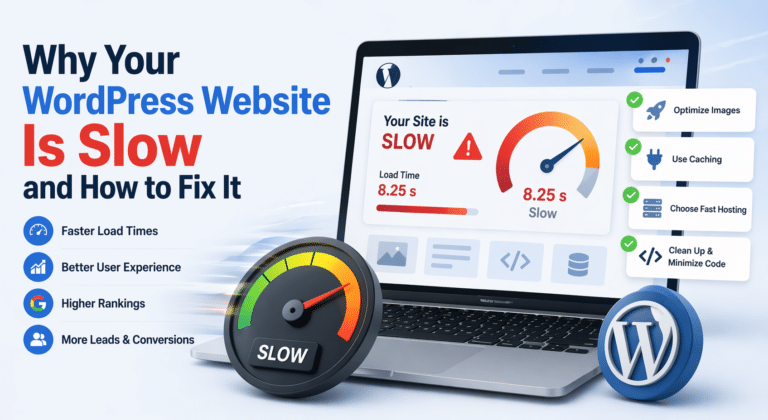
Why Your WordPress Website Is Slow
Most slow websites are not caused by one issue. It is usually multiple small problems adding up over time.
Poor Hosting Configuration
Cheap or shared hosting is one of the biggest reasons for slow performance.
Heavy Themes and Page Builders
Bloated themes and heavy page builders can significantly slow down your website.
Unoptimized Images
Large image files without compression increase load time.
Too Many Plugins
Each plugin adds extra scripts and database load.
No Caching System
Without caching, pages are generated from scratch every time.
How to Fix a Slow WordPress Website
Now let’s look at practical solutions.
Upgrade to Better Hosting
Better hosting improves server response time immediately.
Optimize Images Before Uploading
Use compressed formats like WebP.
Use a Lightweight Theme
Avoid heavy multipurpose themes.
Limit and Audit Plugins
Remove unnecessary plugins.
Enable Caching and CDN
Caching reduces server load and improves speed.
Optimize Elementor Usage
Avoid unnecessary sections and heavy animations.
Real Impact of Website Speed on Business
Slow websites reduce:
-
Engagement
-
Conversions
-
Search rankings
Speed directly affects revenue.
When You Should Get Expert Help
If basic fixes don’t work, the issue may be deeper:
-
Server configuration
-
Database issues
-
Theme conflicts
-
Architecture problems
Final Thoughts
Website speed is a business factor, not just a technical one. Improving it leads to better user experience and higher conversions.
If your WordPress website is still slow or not performing well, I can help you optimize it properly for speed, performance, and conversions.
I specialize in WordPress development, Elementor optimization, and WooCommerce performance improvements.
You can hire me directly on Upwork or contact me for your project.
