

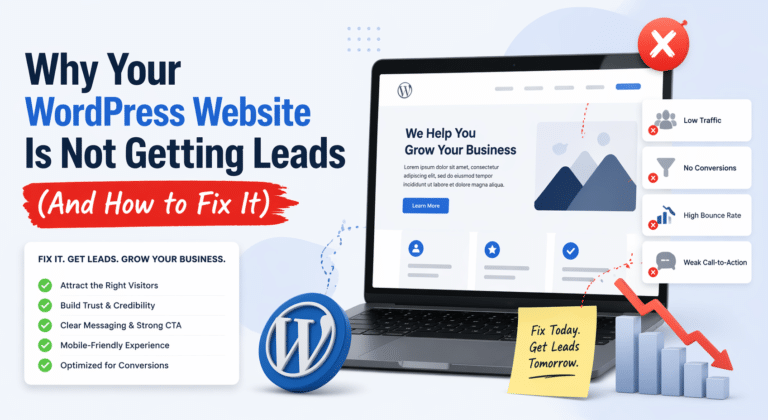
Your website looks good.
It loads (kind of).
You’re getting some traffic.
But… no leads.
If that sounds familiar, you’re not alone. I’ve worked on multiple WordPress websites where everything looked fine on the surface, but they weren’t converting at all.
Let’s break down the real reasons this happens and what you can actually do to fix it.
1. Your Website Is Built for Looks, Not Conversions
This is the most common issue.
Most websites focus on:
- Fancy design
- Animations
- Colors
But completely ignore:
- Clear messaging
- User journey
- Call-to-action
A visitor should instantly understand:
- What you do
- Who it’s for
- What they should do next
If that’s not clear in the first 5 seconds, they leave.
Fix:
- Add a clear headline (what you do + who you help)
- Add one strong CTA above the fold
- Remove unnecessary distractions
2. No Clear Call-To-Action (CTA)
You’d be surprised how many websites don’t actually ask users to take action.
Or they do this:
- “Learn More”
- “Explore”
That’s weak.
People need direction.
Fix:
Use strong, direct CTAs like:
- “Get a Free Quote”
- “Book a Call”
- “Start Your Project”
And repeat them across the page.
3. Your Website Is Too Slow
Speed kills conversions. Literally.
If your site takes more than 3 seconds to load, a big chunk of users will leave before even seeing your content.
Common issues I see:
- Heavy images
- Too many plugins
- Poor hosting
- Unoptimized Elementor layouts
Fix:
- Compress images
- Use proper caching
- Avoid unnecessary plugins
- Optimize Elementor sections
In one of my recent projects, reducing load time from around 5 seconds to under 2 seconds significantly improved engagement and conversions.
4. Poor Mobile Experience
Most traffic today is mobile.
But many websites:
- Look broken on phones
- Have tiny text
- Buttons are hard to click
That kills trust instantly.
Fix:
- Test your site on real devices
- Adjust spacing, font sizes, and buttons
- Make sure CTAs are easy to tap
5. Weak or Confusing Messaging
If your content sounds like:
“We provide high-quality solutions for modern businesses…”
That’s generic. It doesn’t connect.
Visitors don’t care about buzzwords. They care about:
- Their problem
- Your solution
Fix:
Be specific:
- Who do you help?
- What problem do you solve?
- What result do you deliver?
Example:
I help small businesses build fast, high-converting WordPress websites that actually generate leads.
That’s clear.
6. No Trust Signals
People won’t contact you if they don’t trust you.
Missing elements:
- Testimonials
- Portfolio
- Real examples
- Client results
Fix:
Add:
- Screenshots of your work
- Before/after results
- Short client testimonials
Even simple proof builds confidence.
7. You’re Attracting the Wrong Traffic
Sometimes the issue isn’t the website. It’s the traffic.
If you’re bringing in:
- Students
- Random visitors
- People not ready to buy
They won’t convert.
Fix:
Focus on:
- Buyer-intent content
- Service-based keywords
- Targeted messaging
Final Thoughts
A website not generating leads is rarely about just one problem.
It’s usually a combination of:
- Weak messaging
- Poor structure
- No clear direction
- Technical issues
The good news is, all of this is fixable.
Need Help Fixing Your Website?
If your WordPress site isn’t bringing leads, I can help you identify the exact issues and improve performance, speed, and conversions.
I specialize in:
- WordPress development
- Elementor design
- WooCommerce optimization
You can reach out & hire me directly through my Upwork profile.
Let’s turn your website into something that actually works.
